Henri
- 4.2
- Rating
- 10.00K
- Installs
- Free
- Price

 Analysis by App-foxy
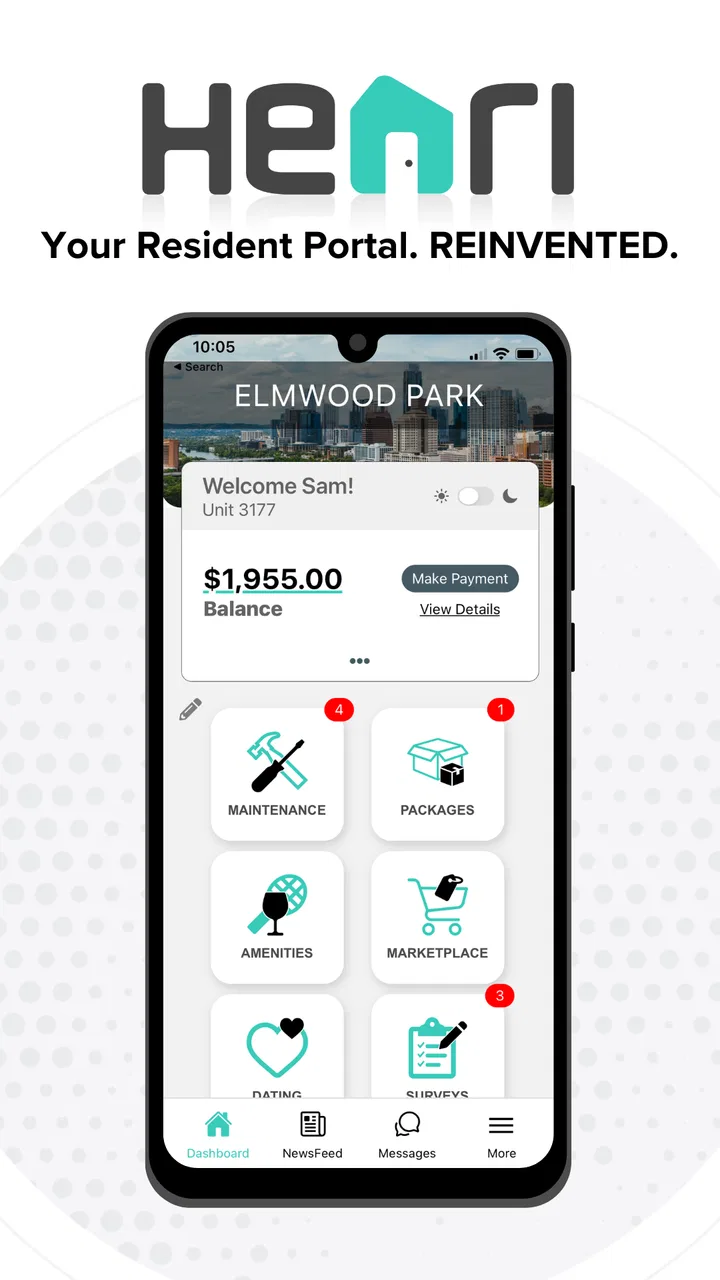
Managing a home through a resident portal can sound simple until a real problem appears at an inconvenient moment. A maintenance request, a building announcement, or a message from property management is only useful if I can reach it when I need it. Henri, developed by Henri Home, takes that everyday access problem and puts it into a dedicated House & Home app rather than leaving everything scattered across emails, paper notices, and phone calls.
After spending time with it, I see Henri as a practical companion for residents who want one mobile point of contact with their housing community. It is free, rated for Everyone, and its store summary presents it as a reinvented resident portal. That description is brief, but the important question is how well a portal fits into real mobile routines, especially when the quality of the experience depends on being connected at the right moment.
My overall view is that Henri is most useful when it reduces small pieces of housing administration to a few deliberate checks. It is not a replacement for every conversation with a landlord, building manager, or emergency service. Instead, its value comes from making ordinary resident tasks easier to find and follow, provided the app can communicate with its service when I open it.
You May Also Like

 AccuWeather: Weather Radar
AccuWeather Review: A Quick, Clear Forecast for Everyday Decisions
For everyday plans, the best forecast is the one you can understand quickly. AccuWeather makes rain timing, radar, and local conditions easy to act on, with a few trade-offs.

 Hill Climb Racing
Why Hill Climb Racing Still Turns Crashes Into One More Run
A tiny car, a bumpy hill and one more upgrade: Hill Climb Racing keeps resurfacing because its simple chaos makes every near-miss feel personal.

 AliExpress - Shopping App
AliExpress Makes Global Shopping Feel Personal, but Shoppers Bear the Risk
AliExpress turns a global marketplace into a pocket-sized discovery engine. Its reach is useful, its shopping loop compelling, and its trade-offs easy to miss.

 Lords Mobile: Kingdom Wars
Lords Mobile Is a Kingdom-Building Routine, Not a Quick Match
A case-by-case verdict on the building, battles, device demands, and social commitments that make Lords Mobile rewarding for some players and exhausting for others.

 PDF Scanner app - TapScanner
TapScanner Makes Paperwork Easier to Capture, Check, and Share
TapScanner makes scanning with a phone feel less like a rescue operation and more like a dependable step in getting work done. Its capture tools are useful, though not flawless.

 Block Blast!
 Shows How Much a Puzzle Game Can Leave Out
A quiet grid game shows why puzzle players increasingly value instant clarity, repeatable skill and low-pressure play—and where the genre still needs to catch up.
More From Our News Desk
View All News


How Henri feels when the connection matters
When a resident portal matters most, it is usually because I need to act before a small issue becomes harder to explain or follow up on. In this section, I focus on how I’d prepare, send, and verify a routine request when connectivity is uncertain, including when it makes more sense to switch to direct contact. The goal is to make the app part of a dependable process rather than the only place I rely on.
A resident portal built around timely access
The strongest reason to use Henri is convenience. A traditional resident portal in a browser can work perfectly well, but it often asks me to remember a web address, sign in through a mobile browser, and navigate a page that was designed for a larger screen. A dedicated app feels more natural for quick checks: I can open it from my phone when I am leaving home, waiting for a lift, or standing near the front door trying to remember a building notice.
That convenience becomes more noticeable when information is time-sensitive. If I am expecting an update about a repair or need to check a message before contacting property management, I do not want to search through old email threads. Henri’s role as a resident portal gives those interactions a more focused home. The app’s usefulness is therefore tied less to entertainment or frequent browsing and more to reducing the friction between a resident and the people or services responsible for the property.
There is an important trade-off here. A portal app is only as current as the connection that lets it retrieve or send information. When my phone has a stable mobile signal or Wi-Fi, the dedicated format makes sense. When the connection is weak, the experience can become less predictable than a locally stored note or a saved screenshot. I would not treat Henri as the place to keep the only copy of an important instruction, access detail, or emergency contact.
What happens in ordinary mobile situations
I found the mobile context more revealing than the basic feature idea. Residents rarely use a home portal while sitting at a desk with plenty of time. They use it between errands, while carrying shopping, just before work, or when something in the building has already gone wrong. That means the app needs to support short sessions and clear decisions. I would approach Henri expecting to check one thing, complete one action, and leave rather than browse it like a social network.
A realistic example is a weekday evening when I notice a problem in a shared area and want to report it before forgetting. I can open the portal, look for the relevant resident workflow, and deal with it while the details are still fresh. The advantage over a phone call is not necessarily that the issue is solved immediately; it is that I can begin the administrative trail at a convenient time. The advantage over email is that the request belongs in a housing-specific environment instead of disappearing among unrelated messages.
Another useful situation is checking building communication before making assumptions. A lift outage, access change, scheduled work notice, or community message can alter what I need to do that day. A portal gives those updates a more logical destination than a noticeboard that I may not pass, although I still would not assume every resident will see an update at exactly the same time. Connectivity, account state, and the way management publishes information all affect that moment.
Why a weak signal changes the experience
Henri is not an app I would open casually in a basement, underground car park, or lift and expect every part of the resident experience to behave normally. If the screen needs to load current information, submit a request, or refresh a message, a poor connection can interrupt the process. The practical lesson is to avoid starting an important action at the last possible second.
For example, if I need to report a problem before leaving the building, I would first make sure the description is clear and that I have any relevant details ready. If the portal struggles to connect, I can retry without having to reconstruct the entire situation from memory. This is a small habit, but it matters more in a service app than in a casual app because a half-finished submission can create uncertainty about whether anyone received it.
I also prefer to check that an action visibly completes before closing Henri. A slow response does not automatically mean failure, and repeatedly tapping a control can create confusion if the service processes the first attempt. My approach is simple: wait for a clear confirmation or changed status, then reopen the relevant area if necessary. That is not glamorous advice, but it is the kind of discipline that prevents duplicate requests and unnecessary follow-up messages.
Recovery when a request does not go smoothly
Every connected portal needs a recovery plan, and this is where I keep my expectations realistic. If a message does not load or a submission appears stuck, I would first check the phone’s connection, then retry once after moving to a more reliable signal. I would avoid assuming that reinstalling the app is the first answer, because a connection problem and an account problem are not the same thing.
If I had entered a detailed report, I would keep a short personal note of what I submitted and when. That gives me something useful to refer to if I need to contact management through another channel. It also protects against the common mistake of thinking, “I will remember what I wrote,” only to discover later that the details have blurred. Henri can be the place where I initiate the task, but sensible record-keeping still belongs to me.
This is one of the clearest differences between a resident portal and a general messaging app. In a chat app, a failed send is often obvious and the conversation remains visible. In a housing workflow, the important question may be whether a request entered the right process, not merely whether a screen changed. I would therefore judge Henri by how confidently I can understand the state of an action, while accepting that the app cannot remove every uncertainty created by a weak network or slow response from the property side.
Using mobile data without wasting attention
Because Henri is designed for resident access rather than continuous entertainment, I would use it in short, intentional sessions. I would not leave it open while doing unrelated tasks, repeatedly refresh a page out of impatience, or use it as a substitute for checking only when there is a reason. That approach is kinder to mobile data, battery life, and my own attention.
Wi-Fi is the sensible choice for longer reading or for dealing with several pieces of housing administration at once. Mobile data is more appropriate for a quick check when I am away from home, especially if the information is important enough not to postpone. The trade-off is straightforward: convenience improves when I can access the portal anywhere, but reliability and data use depend on the network available at that moment.
I would also avoid treating a screenshot as a permanent replacement for the portal. A saved image can help me remember a notice while travelling between rooms or when the signal drops, but it becomes outdated as soon as management changes the information. For current resident communication, reconnecting to Henri is safer than relying on an old copy. This is particularly important for anything involving timing, access, or a change to normal building routines.
Who will get the most from it?
Henri makes the most sense for residents whose property uses it as an active channel. If my building’s management communicates through the portal, the app can bring routine housing interactions into a place that is easier to reach from a phone. It is especially well suited to people who dislike searching through email, who often handle household tasks while away from a computer, or who want a clearer separation between personal messages and building administration.
It can also help residents who are organised but busy. Instead of waiting until I have a quiet evening to remember every open issue, I can deal with one small task during a natural pause in the day. That does not make the underlying maintenance or management process faster by itself, but it lowers the effort required to start and monitor my side of it.
I would be more cautious if my property rarely updates its portal or still handles nearly everything by phone and email. In that situation, a dedicated app may add another place to check without removing the old channels. It is also not the right primary tool for urgent danger, medical emergencies, or situations where immediate human assistance is required. A resident portal should support normal administration, not replace emergency services or direct contact when minutes matter.
Henri compared with the usual alternatives
The closest alternative is usually a browser-based resident portal. A browser can be perfectly adequate and may feel better for reading long notices or handling several tasks on a larger screen. Henri’s advantage is the mobile-first habit: it is easier to reach when I am already holding my phone and want to complete a focused resident task. The browser remains a sensible fallback when the app is inconvenient or when I need a wider view.
Email is more flexible for keeping a personal record and communicating with someone outside the property system, but it is also easier for resident messages to become buried. Henri offers a more dedicated context for housing-related activity. The downside is that I may need to maintain another account or app in my routine, and its usefulness depends on whether the building’s management actually uses the portal consistently.
Phone calls remain better when the situation is complicated, urgent, or difficult to explain through a structured mobile workflow. A call can clarify an unusual circumstance immediately, while a portal is better suited to a repeatable administrative process. I would use Henri to create a clear digital starting point for routine issues, then switch to a direct conversation when the problem needs judgement, negotiation, or immediate reassurance.
Practical habits that make the portal easier to live with
My first tip is to use the app as a daily-life tool rather than a place to wander. Open it with a purpose: check a current notice, follow up on a resident matter, or submit information while the details are accurate. This reduces unnecessary refreshes and makes it easier to notice whether something actually changed.
My second tip is to prepare before submitting anything substantial. I would note the location, the visible symptoms, and the time I noticed the issue. If the connection fails, I can retry without losing the useful facts. This also makes the eventual report clearer for the person handling it, which is more valuable than sending a rushed description just because the app is open.
My third tip is to build a fallback into the routine. Keep the relevant property contact method available for cases where the portal cannot connect or where the issue needs immediate clarification. Henri works best as part of a sensible communication plan, not as the only door to help. The strongest setup is a combination: portal for trackable routine matters, direct contact for exceptions, and emergency channels for danger.
Version, support, and everyday expectations
The current version is 5.8.8, and the app supports devices running Android 7.0 or later. That makes it accessible to people who are not using the newest phone, although the actual experience will still depend on the device, its browser or system components, and the quality of the connection. I would keep the app updated when an update is available, particularly for a service that handles current resident communication.
Henri has been available since February 23, 2017, and it has built a modest but meaningful audience: over ten thousand installs, with a 4.2 average from around 763 ratings and 125 written reviews. Those figures suggest that the app is established enough to be familiar to a real group of residents, while the rating also leaves room for uneven experiences. I would read that as encouragement to try it when my property supports it, not as a guarantee that every building’s workflow will feel identical.
The app is free to install, which removes one obvious barrier to testing it. The more important cost is practical: another place to check, another login to remember, and a connection-dependent step in a process that some residents may prefer to handle through email or a call. Whether that trade-off is worthwhile depends largely on how actively Henri is used by the property behind it.
My connectivity verdict
I recommend Henri to residents who want a focused mobile route into their housing administration and whose building treats the portal as a genuine communication channel. Its best moments happen when I need to complete a small task away from a computer, check current property information, or keep routine resident matters separate from a crowded inbox.
I would not choose it as my only method of communication, and I would not rely on it for emergencies or for information that must remain available during a connection failure. The app’s central strength and its central limitation are connected: it makes current resident access convenient, but that convenience depends on the network, the service behind the portal, and my willingness to verify that an action completed.
For me, Henri is worthwhile when it replaces repeated searching and gives ordinary housing tasks a clear mobile home. It is less compelling when management rarely uses it or when I need the richer explanation and immediate back-and-forth of a phone conversation. If your property supports it consistently, I would install it, test the main resident workflow on a reliable connection, and keep a fallback contact method nearby. That is the most realistic way to get value from Henri without expecting a connected portal to solve problems it was never designed to handle.
FAQs for Henri
01What is Henri, and what does it offer to users?
Henri is a versatile productivity app designed to streamline task management and enhance team collaboration. It offers features like project tracking, real-time updates, and customizable workflows. Users can integrate it with popular tools, making it a robust solution for both individual and team productivity needs.
02Is Henri available on both Android and iOS platforms?
Yes, Henri is available for download on both Android and iOS devices. The app can be found on the Google Play Store for Android users and the Apple App Store for iOS users, ensuring a seamless experience across different devices.
03Does Henri support integration with other apps?
Absolutely. Henri supports integration with various popular apps such as Google Workspace, Slack, and Microsoft Teams. These integrations help users to synchronize their workflows and ensure that all their tools work together efficiently, eliminating the need for constant switching between applications.
04Is there a free version of Henri available?
Henri offers a free version with basic features suitable for individual users or small teams. For advanced functionalities, including enhanced collaboration tools and analytics, users can opt for premium plans, which come with a monthly or annual subscription fee.
05How secure is the data stored in Henri?
Henri prioritizes user data security by employing robust encryption methods. All user information is encrypted both in transit and at rest. Additionally, the app complies with major data protection regulations, ensuring that privacy and data integrity are maintained at the highest standards.
Pros
- Intuitive and user-friendly interface.
- Highly customizable settings.
- Seamless integration with other apps.
- Regular updates with new features.
- Responsive customer support.
Cons
- Occasional lag on older devices.
- Limited free version features.
- Requires internet for full functionality.
- Some features hidden behind paywall.
- Notifications can be overwhelming.

Henri
Gallery